A profile with a purpose.
A name that feels personal. Prompts for missing details. Clear tabs for details, sizes and settings, with the duplicate icons and oversized header stripped away.
A more personal way to shop. A little fashion imagination. And an app that feels like 1 India.
A tour of today’s customer-app branch. Real web and iOS captures, with demonstration account data. These changes have not been merged into the development branch.
From a loyalty utility to somewhere you actually want to spend time.
Warm colour. Fashion photography. A membership card that puts cashback first. The new Home, Discover, Plans, Activity and You tabs bring the whole experience together.
Home · iOS simulator · Tap to explore
Meet Style DNA. A starting point for your next great find.
Choose what feels like you, the occasions you shop for and a comfortable budget. Get an everyday outfit formula and ideas to carry into a shopping plan.
You stay in control: refine your choices or remove them anytime. Style DNA uses preferences you choose; it doesn’t infer your personality from a photograph.
Explore the style screensThe fitting room comes to your phone.
Your photo. An outfit you love. A generated preview you can keep, explore and share.
From “what if”
to “that’s me.”
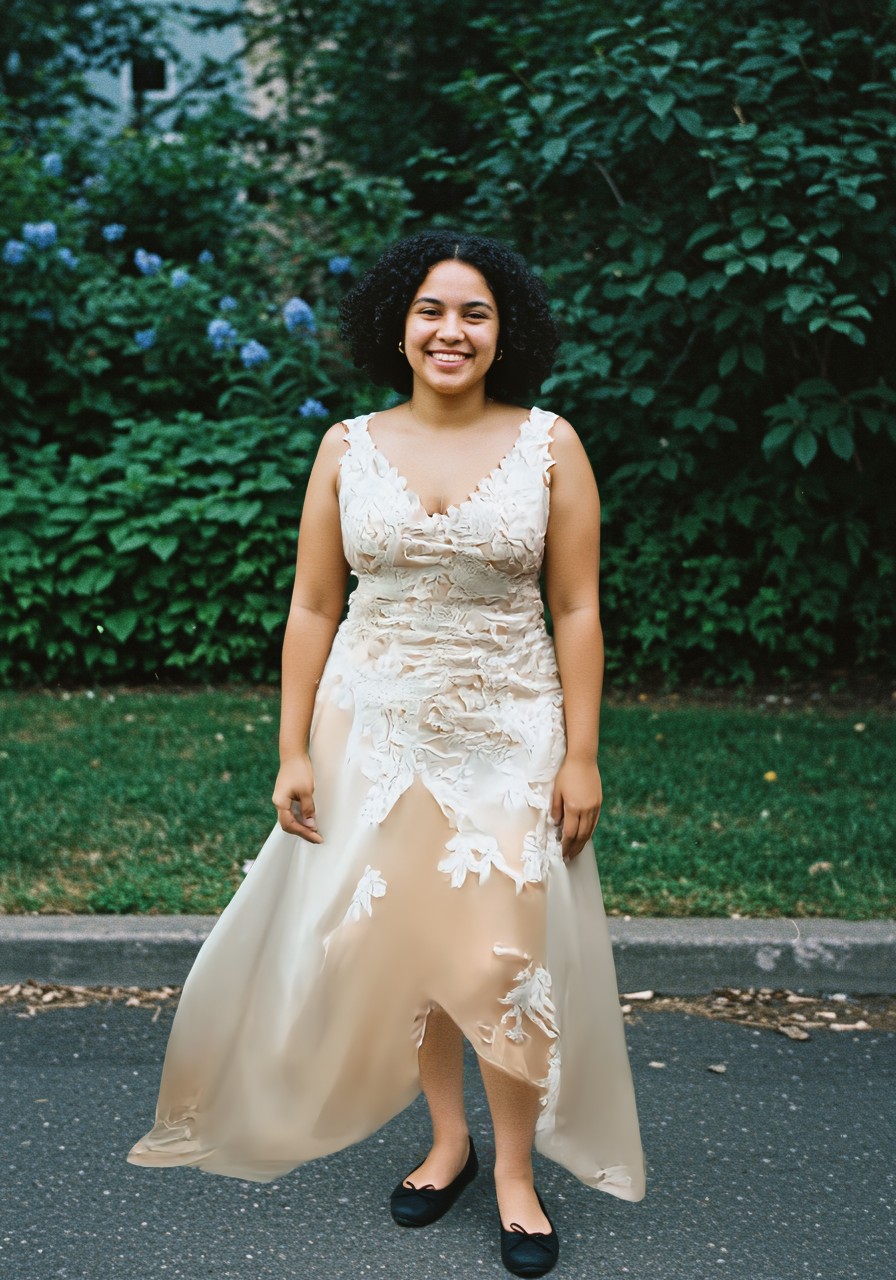
Upload a clear photo or use a suitable profile picture, then pick or upload an outfit.
A photo-led generation scene gives the wait its own moment, with progress and a reveal.
Save the result on your device. Open a full-screen, swipeable viewer with sharing at the bottom.
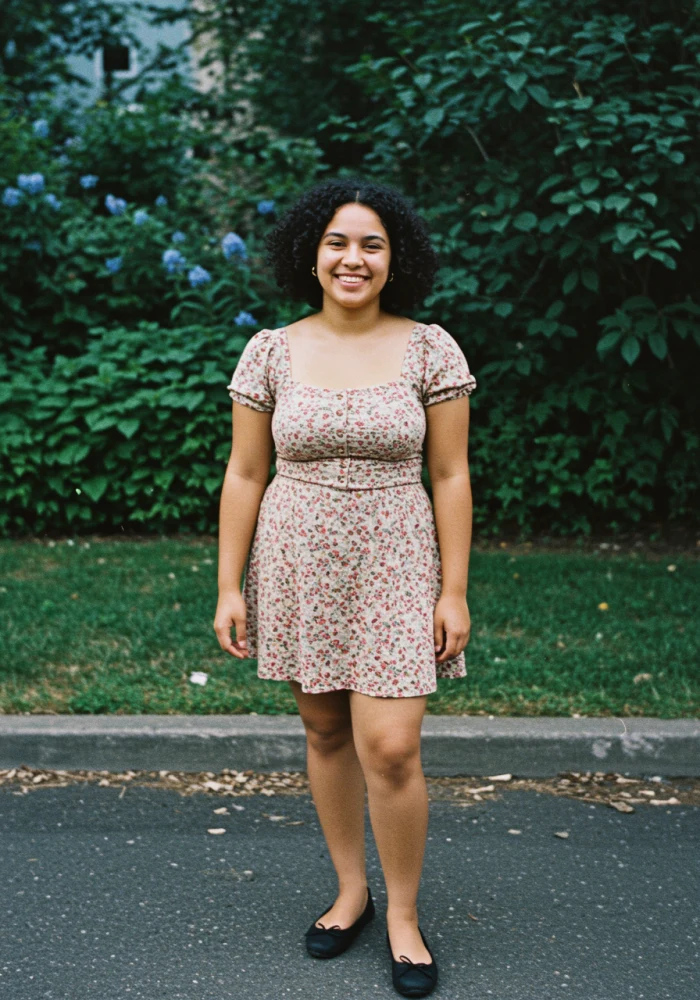
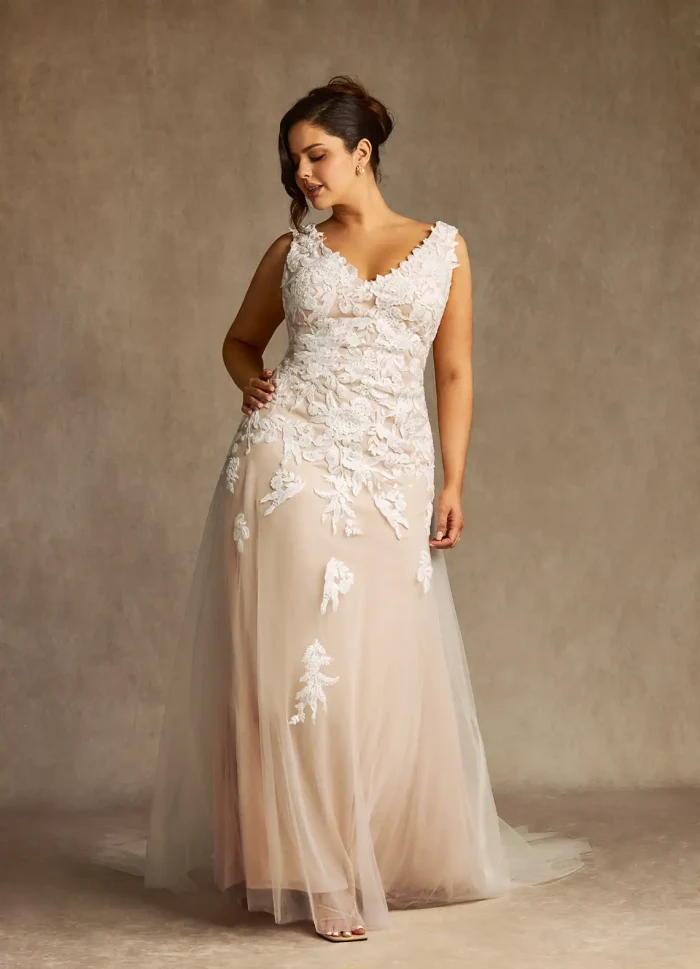
Public fal sample person and garment, not 1 India catalogue stock. AI images are illustrative previews, not a guarantee of fit or garment detail.
Your photo + the outfit = a little fashion possibility.
First, AI creates your try-on photo. Then it brings that look into motion. These are the actual inputs and generated result.
A shopping list that can come along for the trip.
Add ideas, set an optional budget, estimate prices and tick things off as you shop. Undo a removal when plans change.
Share a snapshot of your list. The recipient can save their own editable copy, and you can stop the shared link. Your private list stays yours.
Shown here: “Weekend family shop · demo”, created for this tour. All prices are illustrative estimates. No list link was published for these screenshots.
A name that feels personal. Prompts for missing details. Clear tabs for details, sizes and settings, with the duplicate icons and oversized header stripped away.
Select a child and the size choices follow. Optional fields open when needed, and an explicit adult-size option handles the exceptions.
The new flows have translation keys across all 11 supported languages, with Urdu reading right to left. Hindi and Urdu below are real running screens. Native-speaker wording review remains part of release.
17 real screens
Tap a screen. Swipe through the details. Everything here was captured from the running branch.
Built on the branch
The website is a branch showcase, not a live app deployment. Demo data and sample garments are identified throughout.
The customer app uses Expo SDK 56 and expo-router. The fitting-room gateway holds the provider key on the server. The current photo generation uses FASHN v1.6; optional motion uses H3. Style DNA stores explicit preferences, while wardrobe media and shopping plans are scoped to the account on this device.
Review the branch setup, try-on and release notes before producing a developer preview. Keep the preview on this branch; a merge is not needed to share a separate preview build.
codex/customer-experience-redesign
Source notes: customer-app/REDESIGN.md, TRY_ON.md and docs/SHOPPING_PLAN_RELEASE.md, TRY_ON_VIDEO_RELEASE.md. This showcase adds no backend calls, tracking or credentials.
A fresh chapter for 1 India, ready for the team to explore.